You are seeing the paginated version of the page.
It was specially created to help search engines like Google to build the proper search index.

Click to load the full version of the page
Back to School! Use the Internet to Save Money on Kids' School Supplies
It's time to send the kids back to school, which means it's time to buy school supplies! Notebooks, binders, folders, pencils, crayons, markers, calculators . . . the list goes on and on. It can get awfully expensive, especially as your kids get older. Check out these ways to save money during back-to-school season, and share...

Original link
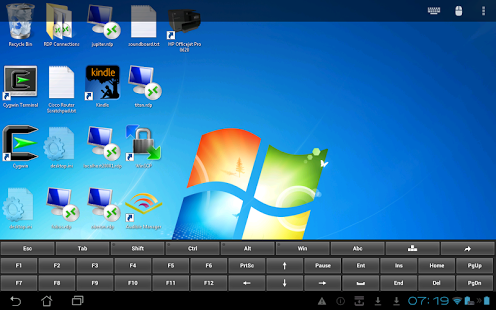
Remote Desktop Client - Android Apps on Google Play
Control Windows computers across the Internet from a mobile device.
Original link
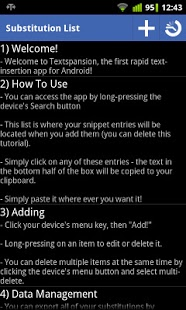
Textspansion - Android Apps on Google Play
Access your commonly typed phrases with Android's first "text expansion" app!
Original link
Evernote Web Clipper
Use the Evernote extension to save things you see on the web into your Evernote account.
Original link
Top 6 Apps to Help Your Kids Learn While You Keep Them Safe
We all remember SpongeBob app that cost a fortune and was barely of use for our children. Technology is here to make our lives easier by taking our worries away or simply by giving us more free time for ourselves.
Original link
Snowball - Smart Notifications - Android Apps on Google Play
Get the notifications you want, and none of the rest.
Original link
Phhhoto: The Newest Spin On A Social Networking App
By Robert Parmer - What's the next big thing in the world of social networking apps that you've probably never heard of? Take the looping function of Vine, add in some grainy, yet charming filters similar to those of Instagram, and toss in the pure magic of a moving Harry Potter photo.
Original link
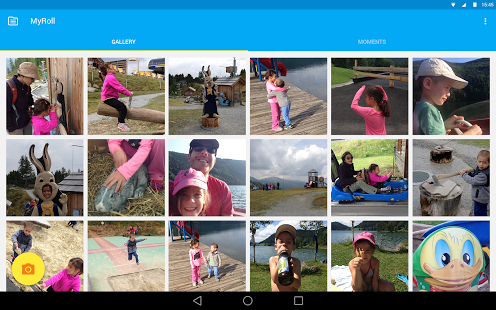
Gallery by MyRoll - Android Apps on Google Play
Join the millions replacing their photo gallery with a smart gallery.
Original link
App Launcher in popup
Allows you to access the Google App Launcher right from the chrome toolbar
Original link
You Can Make Cortana Ditch Bing for Google in Windows 10
Cortana makes the jump to the desktop in Windows 10, meaning you can get a more personalized experience through voice commands or the good old mouse and keyboard. But what if kind of hate Bing's search engine? You can use a browser extension to redirect Bing queries to any search engine you choose.
Original link